
Website in the TV browser
Requires a web browser on the TV.
On the TV, open chumix.com/tv. Select “Open game by code” and enter your room code.
You’ll get a room code when you create a game.
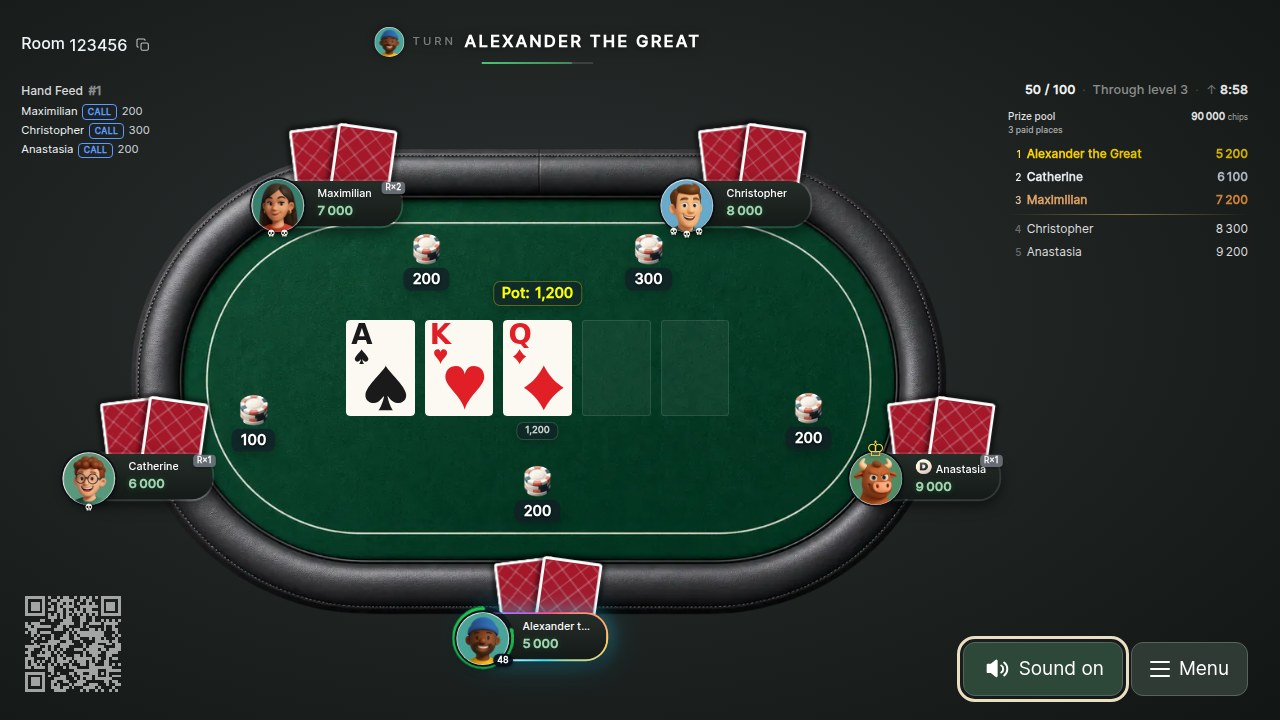

The TV, computer or tablet shows the table. Each player has their own cards and controls.
Use this device as…
Create a game to get a QR code. Players scan it on the shared screen to join the room.
Requires a web browser on the TV.
On the TV, open chumix.com/tv. Select “Open game by code” and enter your room code.
You’ll get a room code when you create a game.
A separate app for TVs and streaming devices running Android TV or Google TV. Once released, it will be available on Google Play, the TV’s app store.
The app will show the shared table. Players will use their phones for cards and betting controls.
This device shows the table and the hand in progress. Each player keeps their cards and controls on their own phone.
Scan the QR code and take your seats.
